
Full email
Every folder, sending, special folders and basic search. Read, flag, move, delete and save drafts.

IMAP365
Coming soonUse the email, calendar and contacts of a corporate account in Thunderbird, even if your company does not offer IMAP.
Windows 10/11 · Version 0.1.0 (preview)
Features
Every folder, sending, special folders and basic search. Read, flag, move, delete and save drafts.
Every calendar in the mailbox. Create, change and delete events.
Read, create and edit contacts: name, company, emails, phones and addresses.
Direct connection to Microsoft. Everything stays on your computer, with no cloud of our own and no third parties.
You sign in on Microsoft's official window, with your password and two-factor. IMAP365 does not store your password.
It is not an add-on: Thunderbird connects to IMAP365 like to any mail server.
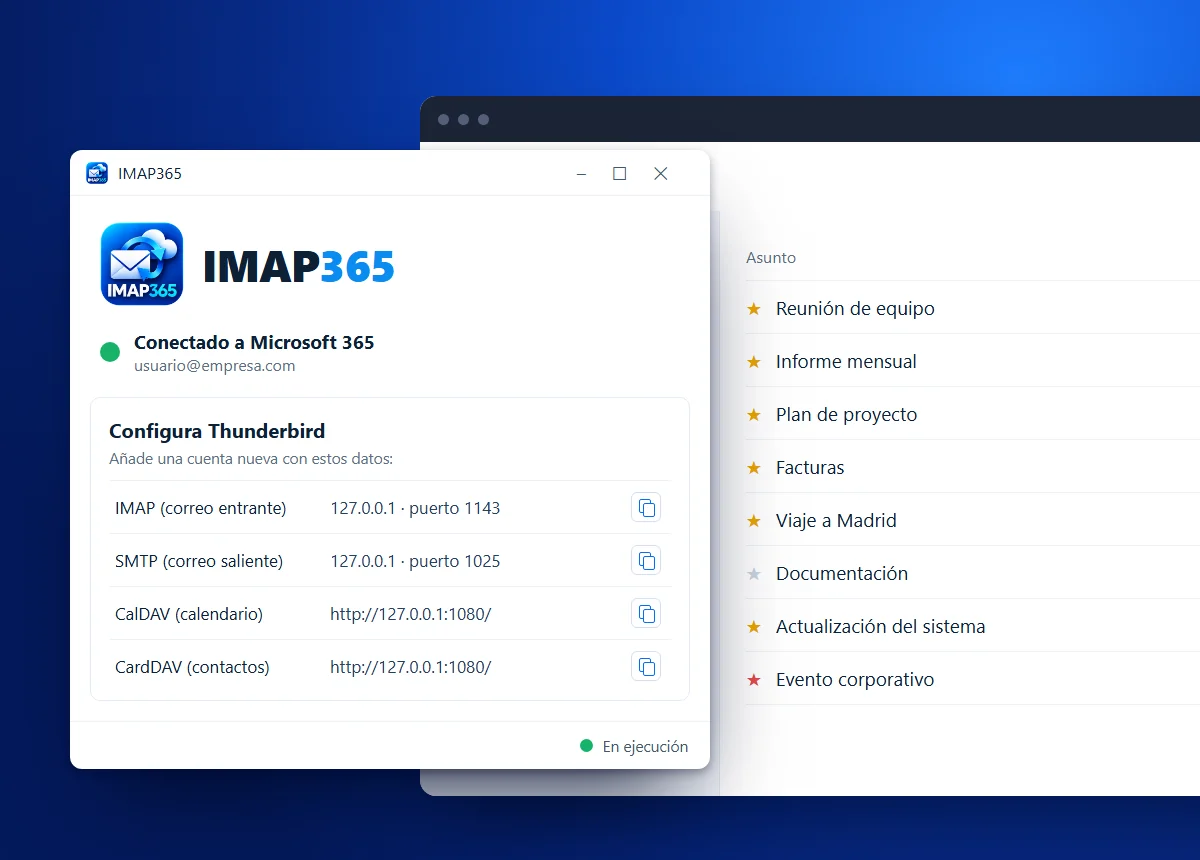
IMAP365 acts as a local gateway between your Microsoft 365 account (Exchange Online) and Thunderbird.
It talks to the mailbox the same way Outlook on the web does and offers standard servers on your computer that Thunderbird connects to like any regular account.
IMAP365MSI installer for Windows 10/11.
Microsoft's official window, with your password and two-factor.
Copy the details from the app and you are done.
64-bit Windows 10 or 11 and Thunderbird.
A Microsoft 365 or Exchange Online account with access to Outlook on the web.